
Property Manager
Add-In for SolidWorks
Edit custom properties for all models, parts, and assemblies directly within SolidWorks — no separate window needed. The table-based interface makes bulk property editing fast and straightforward. Works with SolidWorks 2014 and all later versions.
Get it from MicrosoftManage CAD Properties the Way Engineers Actually Work
SolidWorks custom properties are powerful but can be tedious to manage across large assemblies. Property Manager brings a fast, spreadsheet-style interface directly into SolidWorks, letting you view, edit, and navigate part and assembly properties without leaving your CAD session.
Table-Based Property Editing
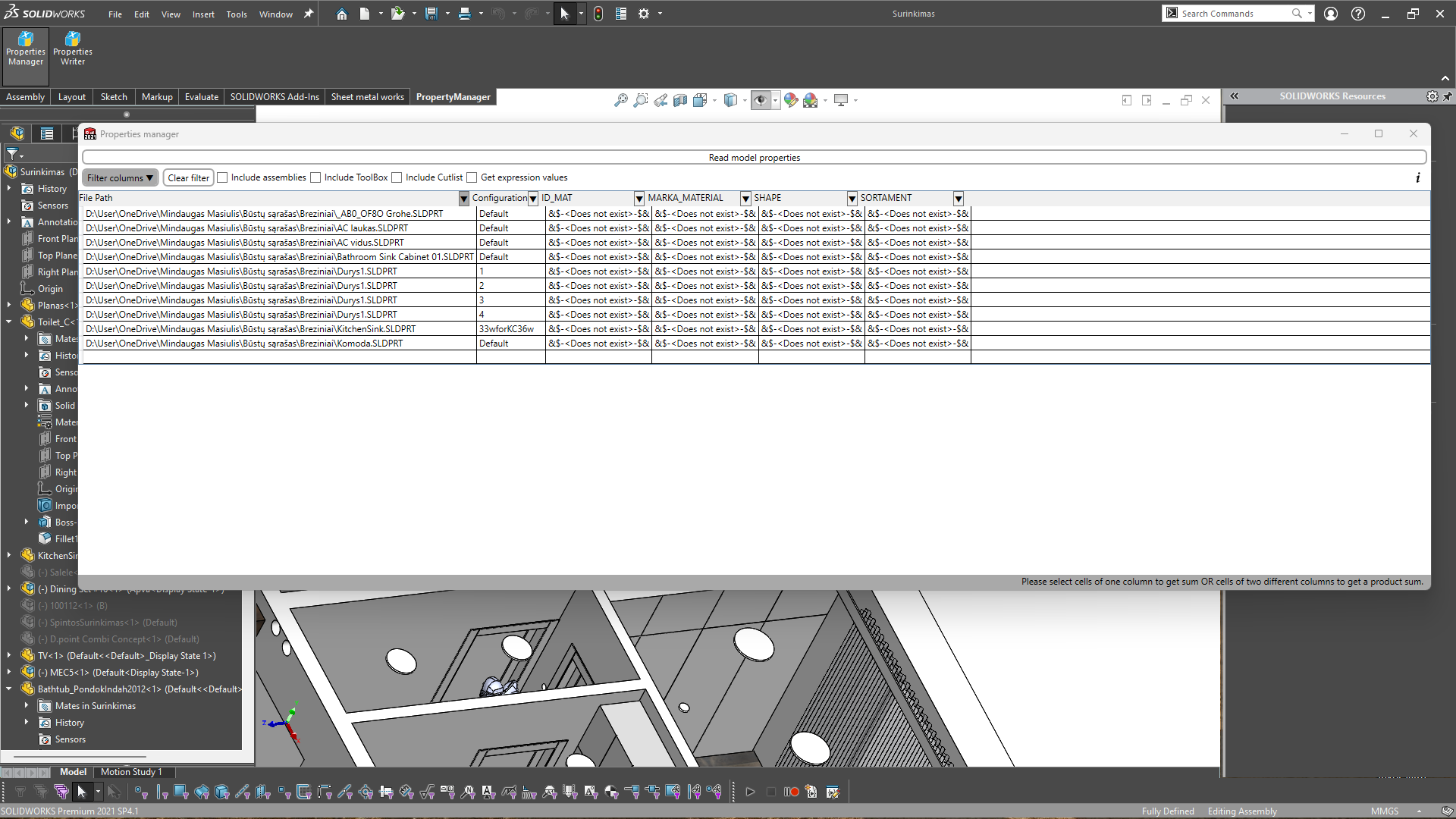
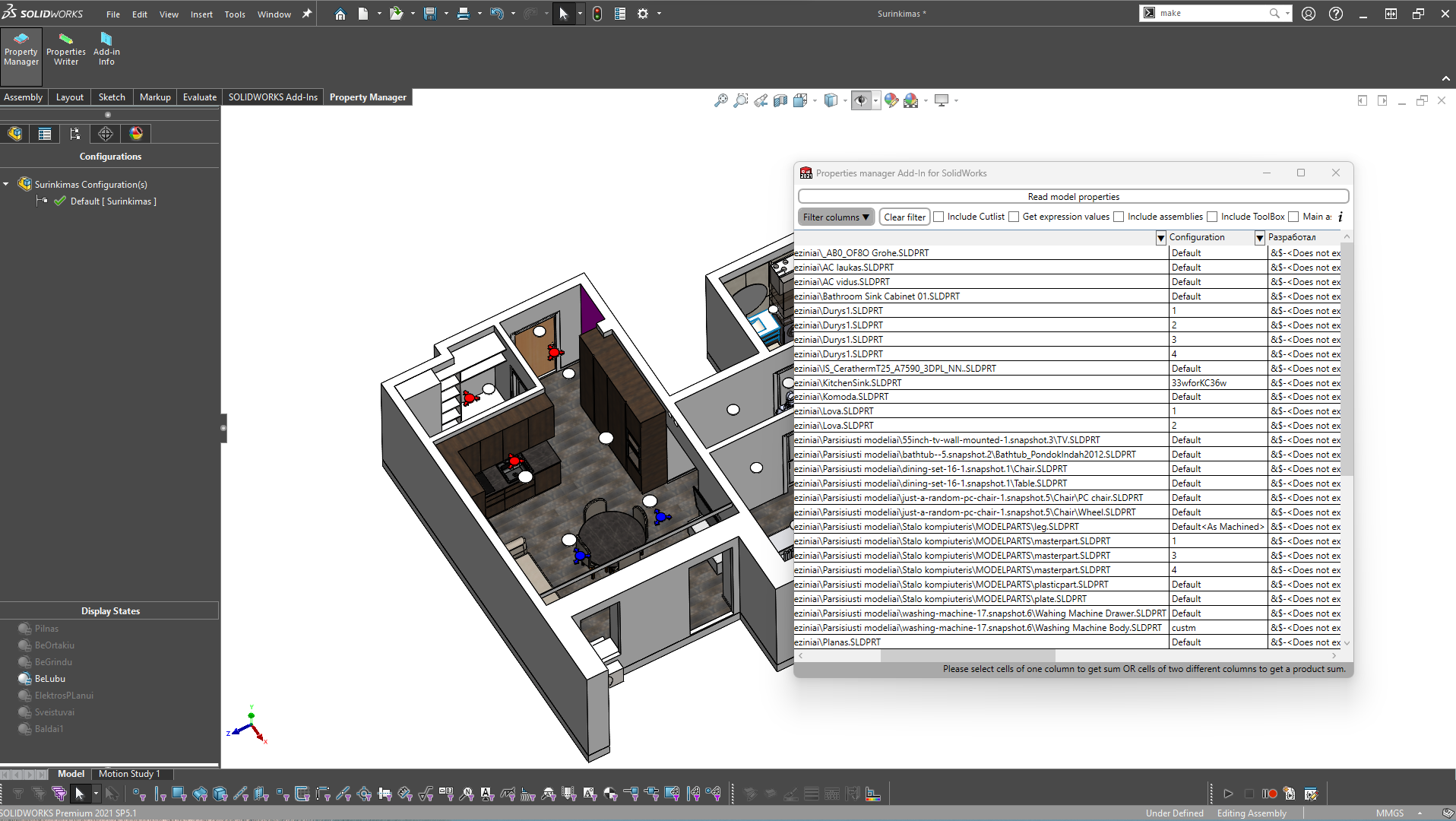
View and edit custom properties for components in a clear, spreadsheet-style grid — far faster than navigating the standard SolidWorks property dialog one component at a time.
Native SolidWorks Integration
Loads directly as a SolidWorks add-in. No separate application window — the tool appears inside your existing SolidWorks environment after installation.
3D Model Data Editing
Edit metadata, custom properties, and configuration-specific data for parts and assemblies, keeping your model documentation accurate and up to date.
SolidWorks 2014 and Later
Compatible with a wide range of SolidWorks versions — from 2014 through the latest release — ensuring it works with existing and modern CAD environments.
Instant Availability
After installing via the Microsoft Store companion app, the add-in is available automatically in the next SolidWorks session with no complex setup.
Trusted Microsoft Store Distribution
Distributed and updated via the Microsoft Store, ensuring safe, signed delivery and easy management through your Windows device.
See It in Action
The Property Manager add-in integrates directly into SolidWorks, providing an intuitive property editing experience.
Built for SolidWorks Engineers
Any engineer or team working with custom properties in SolidWorks will save time and reduce errors with Property Manager.
Product Designers
Maintain accurate part metadata — materials, part numbers, descriptions — across complex product assemblies.
BOM & Documentation Teams
Ensure all Bill of Materials fields are populated correctly before releasing drawings or production documentation.
Manufacturing Engineers
Quickly verify and update process-related properties on parts as designs move from engineering to production.
Students & Educators
Learn best practices for CAD metadata management with a free, professional-grade tool in a real SolidWorks environment.
System Requirements
| Publisher | CyberMasTools |
| Price | Free |
| Category | Productivity |
| Operating System | Windows 10 or higher; Windows 11 |
| CAD Compatibility | SolidWorks 2014 and later |
| Architecture | x86, x64 |
| Available on | Microsoft Store |
| App ID | XPDP5T26539J2K |
Download Property Manager — It's Free
Available on the Microsoft Store. Install the companion app and the add-in activates automatically in your next SolidWorks session.
Get it from Microsoft